Table of Contents
Once the Site Administrator creates the Group Site and adds at least one Administrative Member, the Administrative Member can add more members and even assign more Administrative Members.
Procedure 6.1. How to add a group administrator member
All group website members are determined by LDAP. When someone logs into groups.oist.jp, they are added to each group that is listed in their LDAP records. If the group member does not appear on the Tab Menu > Group > People page, first make sure that she has logged into groups.oist.jp. If she is still not visible in the list, contact IT at info-sys@oist.jp. A user must be a member and appear in the list of group members before you can give her administrative privileges.
On the Tab Menu, go to Group > People.
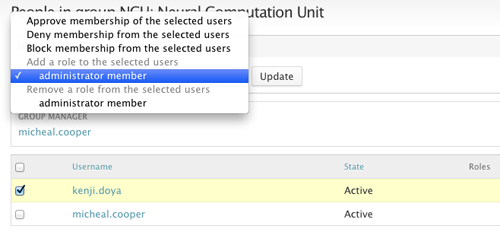
Select the user by clicking the checkbox.
In "Update options", select "Add a role to the selected users > Administrator member" to give the user the role of administrative member.
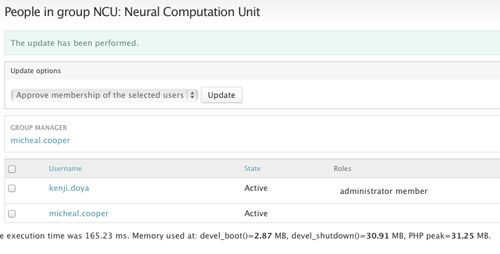
Click Update.