A webform is a special node that has a block of HTML content at the top of the page, followed by a form. The data entered into the form by users is stored in the Drupal database. Users with administrative privileges can download and browse the information entered in the webform.
Watch a video example of creating a webform here: here
As Group Administrative Member, click "Webform" link in the "Add Content" menu on the left.
Fill in the form. The Title will be the title of the page in the browser, and the Body will be the block of content over the form fields.
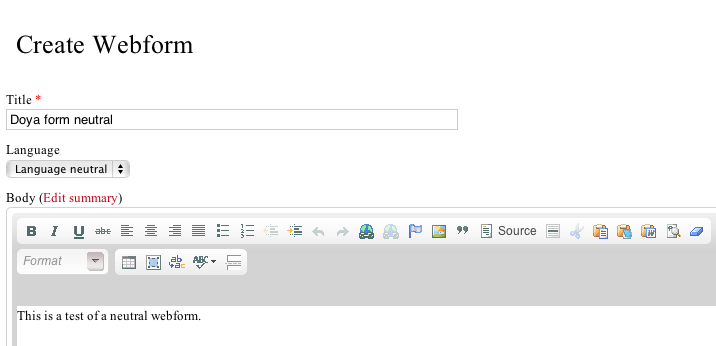
The Language field works in the same way as the Language field in other content: English content is filtered out or hidden when using the Japanese interface, Japanese content is filtered out when using the English interface, and Neutral content is never filtered out, regardless of the interface language.
Click Preview to test and see how it will look. Click Save to save and finalize your changes.
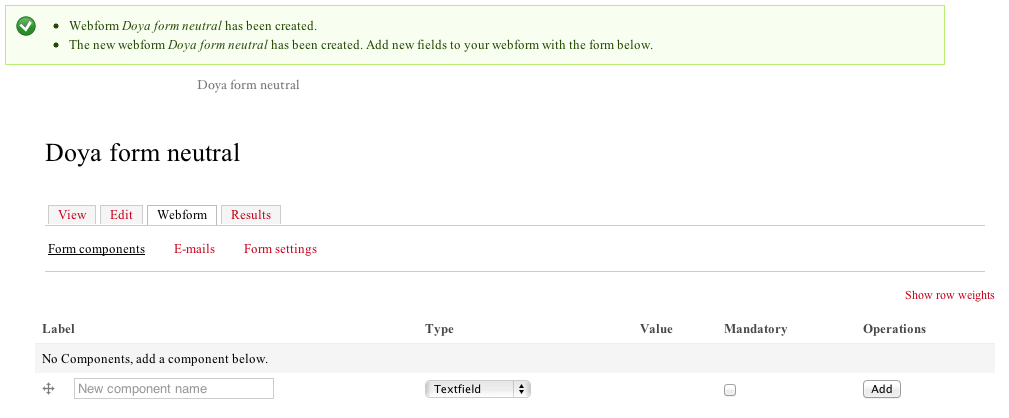
You will now see a screen where you can set the webform components, the fields and functions of the webform.